Show instant quotes in iPhone/Android smartphones using Excel calculators. Build mobile data entry applications feeding electronic forms to your Inbox or to a database, or smartphone calculators that work even when the phone is offline.
SpreadsheetConverter iPhone/Android allows you to convert Excel spreadsheets to iPhone format, giving Apple smartphones the ability to run spreadsheets and smart forms converted from the Microsoft Office desktop environment.
The new version can also convert Excel spreadsheets to Android format. This makes it possible to use smartphones from manufacturers like Nokia, Samsung, LG, ZTE, HTC, Motorola, Sony Ericsson and Huawei to perform spreadsheet calculations and fill/send electronic forms developed in Microsoft Excel.

I can give him an instant quote for 200 customized rubber tubes right here in the coffee shop
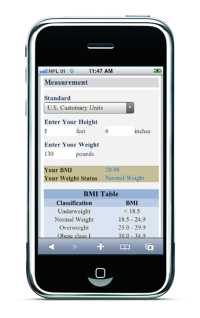
Smart forms created with Excel can now be used by your mobile workforce for product selection and configuration, surveys, on-site evaluations and other suitable data collection/data entry applications. Completed forms are sent directly to a predefined e-mail Inbox, or saved with our direct-to-database subscription service.
Spreadsheets can also be used as templates for smartphone calculators for business, finance, engineering or personal life.
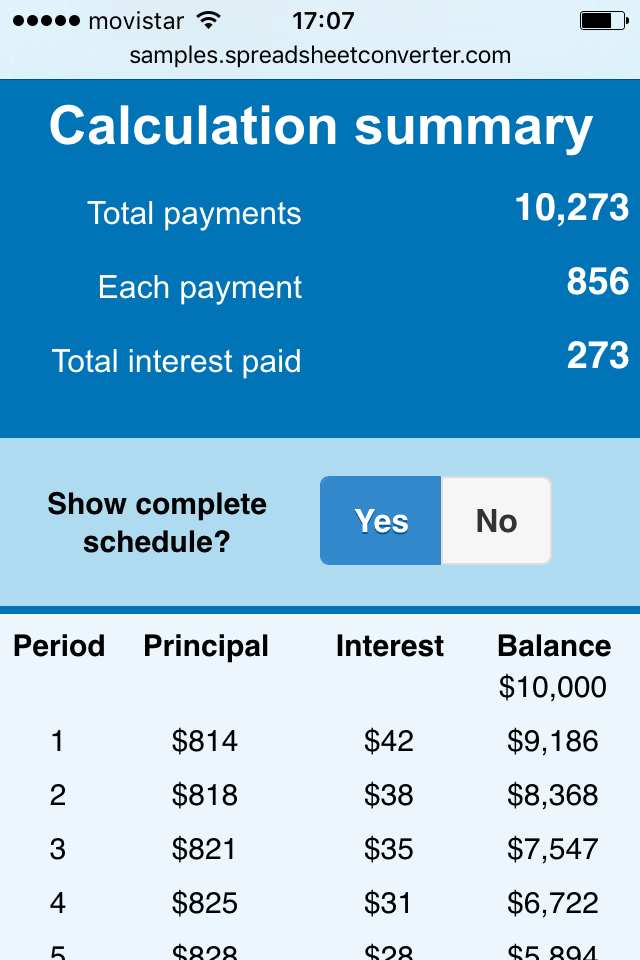
The screenshot to the left is from a mobile web app that was directly converted from an Excel spreadsheet. The app calculates the monthly payments for a car loan depending on time and interest. It also shows you the total interest paid for the loan. For us, it also demonstrates some of our popular web widgets and the powerful hide rows feature.
To open the Car Loan calculator in your phone, scan the QR code below.
If you’re uncomfortable doing that, read our tutorial about scanning QR codes.
If you want to build apps like this just by converting Excel spreadsheets, read the guide to creating iPhone/Android web apps from Excel spreadsheets.

If you know Excel, you can create an iPhone calculator or an Android smart form in just a few, simple steps:
Read the full SpreadsheetConverter iPhone/Android product description.



Click on Download to install and test this Excel add-in for Windows.
Click on Upload to let us convert a spreadsheet for you for free.
